
MEPCO Consumer Information 2026 – Complete Guide to Connection Details
MEPCO Consumer Information 2026 helps electricity users understand their connection details, consumer identification numbers, meter information, billing records, and available customer services. Whether you live in Multan, Bahawalpur, Dera Ghazi Khan, Rahim Yar Khan, or another area served by MEPCO, knowing how to read your electricity bill can make routine tasks easier.
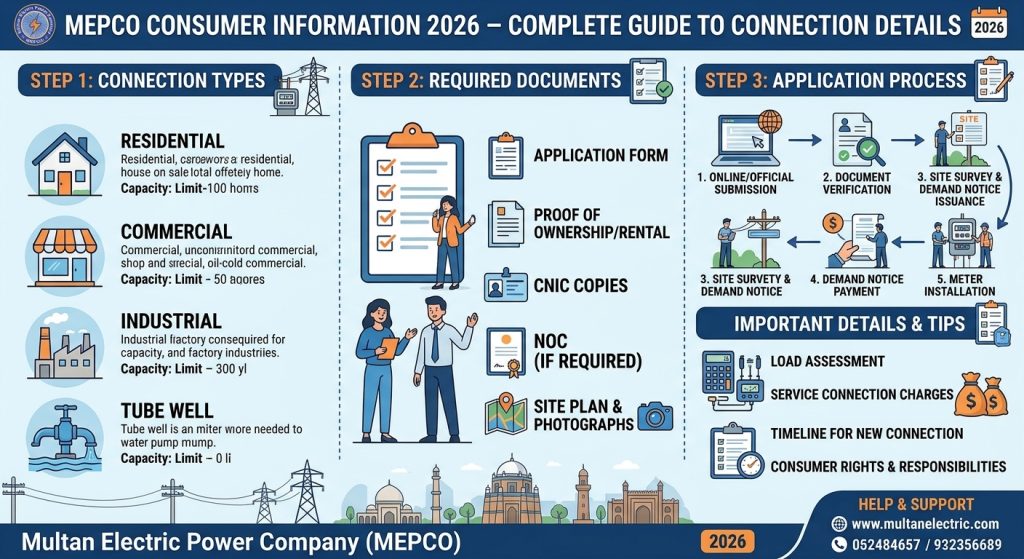
Your MEPCO bill contains important information, including the reference number, Consumer ID, meter readings, sanctioned load, tariff category, billing dates, and outstanding amount. These details can help you verify your account, check your latest bill, and identify errors that may require correction.
This guide explains the main connection details, how to check them online, and where to find official support.
What Is MEPCO Consumer Information 2026?
MEPCO consumer information refers to the details associated with an electricity connection managed by the Multan Electric Power Company. These records help identify the connection and explain its billing and service information.
Depending on the bill format and connection type, the information may include:
- Consumer name and service address
- Reference number and Consumer ID
- Meter number and connection date
- Tariff category and sanctioned load
- Previous and current meter readings
- Billing period, issue date, and due date
- Electricity consumption and payable amount
- Applicable taxes, adjustments, and previous dues
You can visit the official MEPCO website for company information and customer-service resources.
1. MEPCO Reference Number and Consumer ID
The reference number and Consumer ID are two important identifiers printed on a MEPCO electricity bill. Although both relate to your electricity connection, they are different fields.
| Detail | Reference Number | Consumer ID |
|---|---|---|
| Typical format | 14 digits, sometimes followed by a letter | Commonly 10 digits |
| Main purpose | Identifying the billing connection | Identifying the consumer or premises record |
| Where to find it | Consumer details section of the bill | Consumer details section of the bill |
| Online use | Enter it when the form requests a reference number | Use it when the form supports Consumer ID lookup |
The exact format and accepted input can vary by bill format or online service. Always select the correct identifier on the form instead of entering a meter number or CNIC in its place.
How to Find Your Reference Number
- Take a recent MEPCO electricity bill.
- Look at the consumer details section near the top.
- Find the field labelled Reference No.
- Copy the complete number, including any suffix requested by the online form.
- Double-check the digits before submitting.
If you have misplaced your bill, check an older bill or a saved bill-payment record. You can also contact MEPCO or visit the relevant customer service office for assistance.
2. Consumer Name and Connection Address
The consumer name and address help you confirm that a bill belongs to the correct property or electricity connection.
When checking your MEPCO consumer information, compare the printed name and address with your records. If the property has recently been purchased, rented, or transferred, the name displayed on the bill may still belong to a previous consumer.
Do not assume that ownership automatically updates the electricity account. If a name change is required, contact MEPCO and follow the applicable procedure for updating the connection record.
For account changes, prepare the documents requested by MEPCO. These may include identification, ownership or tenancy evidence, and the relevant application forms.
3. Meter Number and Connection Date
The meter number identifies the physical electricity meter associated with the connection. The connection date records when the connection was established or activated, as shown in the company’s records.
These details can be useful when reporting a meter problem, requesting a meter-related service, or verifying your account information.
Keep in mind that the meter number is not the same as your reference number. If an online bill form asks for the reference number or Consumer ID, entering the meter number may not return a result.
If your meter has been replaced, check that your latest records reflect the change. Contact the relevant MEPCO office if the displayed details appear incorrect.
4. Tariff Category and Sanctioned Load
Your tariff category indicates the type of electricity connection and the applicable billing classification. The sanctioned load represents the load approved for that connection.
Different types of consumers may have different tariff categories, including domestic, commercial, industrial, and agricultural connections. The applicable rates and conditions depend on the relevant tariff schedule and the connection’s classification.
Review these details if you believe your bill uses the wrong category or if the nature of your electricity usage has changed.
For example, a consumer using a domestic connection for a business activity should ask MEPCO whether a tariff change is required. Similarly, consumers who need a higher or lower approved load should follow the official load modification process.
Do not estimate your tariff solely from your total bill. Check the category printed on the bill and consult the applicable official tariff information.
5. Meter Readings and Electricity Consumption
MEPCO bills generally show previous and current meter readings, allowing consumers to understand how their electricity usage is calculated.
The difference between the two readings usually represents the units consumed during the billing period, subject to applicable meter and billing adjustments.
To review your consumption:
- Find the previous meter reading on your bill.
- Find the current meter reading.
- Check the reading dates.
- Compare the readings with your meter, where safe and accessible.
- Review the units billed and any adjustments shown.
If the reading appears incorrect, take a clear photograph of your meter display, if safe to do so, and keep a copy of the bill. Contact MEPCO through its official complaint channels if the discrepancy remains unexplained.
A high bill does not automatically mean the meter is faulty. Consumption changes, estimated readings, tariff changes, taxes, and billing adjustments may affect the amount.
6. Billing Month, Issue Date, and Due Date
Your bill also contains dates that help you manage payments and identify the period covered by the charges.
- Billing month: The month for which the bill is issued.
- Reading date: The date the meter reading was recorded.
- Issue date: The date the bill was generated.
- Due date: The stated deadline for payment.
Review the due date carefully to avoid a late-payment surcharge where applicable. If you have not received a paper bill, you may be able to retrieve a duplicate through the official billing service.
Use the MEPCO online bill portal to look up your bill using the identifier accepted by the form. Once the bill appears, confirm that the consumer details match your connection.
You can also visit our MEPCO Online Bill guide for additional bill-checking information.
7. How to Check MEPCO Consumer Information Online
Follow these steps to review your available electricity billing details:
- Open the official MEPCO website or its linked billing service.
- Visit the PITC MEPCO bill portal.
- Select the reference number or Consumer ID option, if available.
- Enter the requested information carefully.
- Submit the form to retrieve the bill.
- Verify the consumer name and connection information.
- Review the billing month, meter readings, payable amount, and due date.
- Download or print the bill if the portal provides that option.
If the portal displays a “record not found” message, check for typing errors and confirm that you selected the correct identifier. A newly activated connection may not appear in billing records until the first bill has been generated.
Never share your banking PIN, wallet MPIN, password, or one-time verification code with someone claiming to check your electricity connection.
8. What to Do If Your Connection Details Are Incorrect
Incorrect consumer information can cause confusion when checking bills or requesting account services. If you notice a wrong name, address, tariff, sanctioned load, or meter detail, contact MEPCO through an official channel.
A practical approach is to:
- Keep a copy of the bill showing the incorrect information.
- Note the reference number and the specific field that needs correction.
- Gather the supporting documents relevant to your request.
- Contact your local MEPCO subdivision or customer service centre.
- Ask which application and verification steps are required.
- Keep the complaint or application reference for follow-up.
The documents and approval process depend on the type of correction. A name change, tariff modification, and meter replacement are different service requests, so follow the instructions applicable to your case.
9. MEPCO Consumer Services and Support
MEPCO provides customer services for a range of electricity-related issues. Depending on the service and current arrangements, these may include duplicate bills, billing complaints, due-date extension requests, instalment requests, new connection applications, and connection-detail changes.
For reliable information, use the official MEPCO website and review its customer-service resources. MEPCO’s published FAQ lists the customer service number 0800-63726; verify the current contact information on the official website before relying on it.
When contacting customer support, explain the issue clearly and keep your bill or reference number available. Share personal documents only through verified official channels.
Frequently Asked Questions
1. What is MEPCO consumer information?
It includes the available details associated with an electricity connection, such as the consumer name, reference number, Consumer ID, meter information, tariff, readings, and billing dates.
2. Is the MEPCO Consumer ID the same as the reference number?
No. They are separate identifiers. The reference number is typically 14 digits, while the Consumer ID is commonly 10 digits. Use the identifier requested by the online form.
3. How can I check my MEPCO connection details online?
Open the official MEPCO bill portal, enter the requested reference number or Consumer ID, and review the retrieved bill to confirm the connection information.
4. Can I correct the consumer name on a MEPCO bill?
You can request a correction or name change through MEPCO. The company may require identification and supporting ownership or tenancy documents, depending on the circumstances.
5. Why is my MEPCO bill showing incorrect meter readings?
Possible reasons include a reading-entry error, an estimated reading, a meter issue, or a billing adjustment. Compare the bill with your meter where safe and contact MEPCO if the difference cannot be explained.
6. Can I download a duplicate MEPCO bill?
Yes, the official PITC MEPCO bill portal can provide access to available billing records. Enter the correct identifier and use the download or print option if available.
7. Where can I get help with MEPCO connection details?
Visit the official MEPCO website, use its published customer-service contacts, or contact the subdivision or customer service centre responsible for your connection.
Conclusion
Understanding MEPCO Consumer Information 2026 makes it easier to verify your electricity connection, identify the correct consumer numbers, review meter readings, and check billing dates. These details are useful when downloading a duplicate bill, reporting a billing issue, or requesting a change to your connection record.
Always verify information through official MEPCO resources and the linked PITC billing portal. If any detail appears incorrect, keep your bill and supporting records ready before contacting customer support. Checking your connection information regularly can help you identify discrepancies early and manage your electricity account more confidently.