MEPCO Bill History Check – How to Find Previous Electricity Bills
A MEPCO Bill History Check helps electricity consumers review previous bills, compare monthly electricity consumption, and understand changes in their bill amounts. If you live in Multan, Bahawalpur, Dera Ghazi Khan, Rahim Yar Khan, or another area served by MEPCO, checking your billing records can help you manage electricity expenses more effectively.
You can start by checking your latest bill through the official MEPCO bill portal. For older bills, you may need saved PDF copies or assistance from your local MEPCO office, because the online bill service may not provide a complete archive of every previous bill.
What Is MEPCO Bill History?
MEPCO bill history refers to information about your previous electricity bills, including monthly consumption, billed amounts, and payment records. Reviewing this information helps you understand how your electricity usage changes over time.
Your electricity bill may include a history section showing consumption and payment details for previous months. MEPCO’s published consumer information describes a 12-month consumption and payment history facility on electricity bills.
This information can help you:
- Compare electricity consumption between months.
- Identify periods of unusually high usage.
- Review past bill amounts and payment records.
- Understand changes in household electricity expenses.
- Keep records for billing disputes or personal budgeting.
How to Perform a MEPCO Bill History Check Online
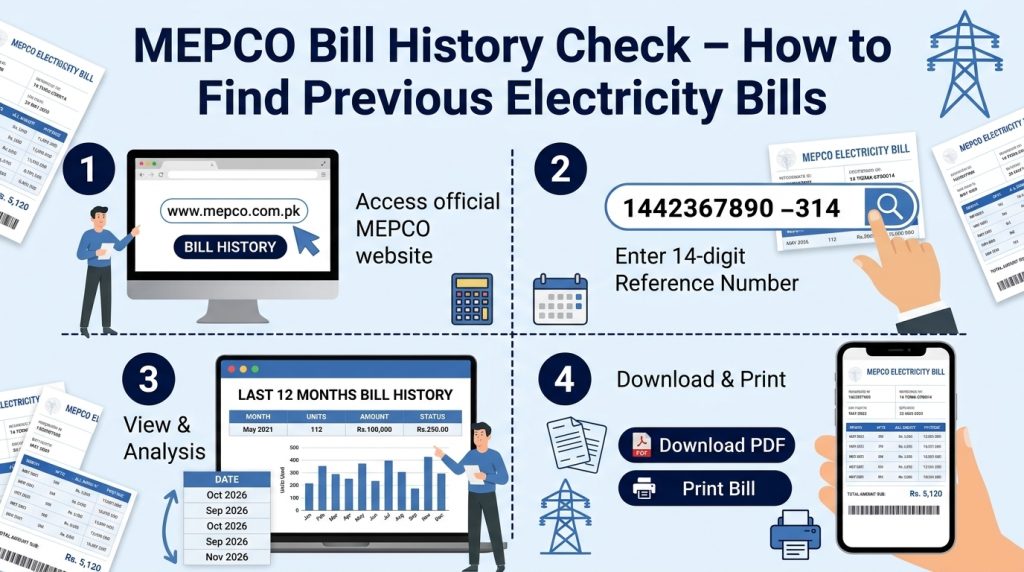
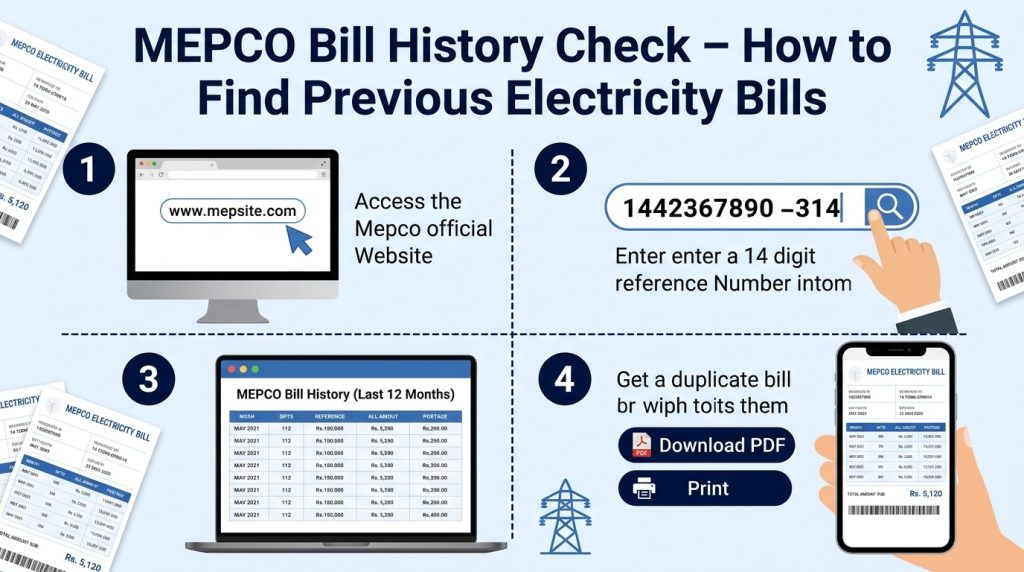
Follow these steps to access your current bill and review any historical information displayed on it.
Step 1: Open the Official MEPCO Bill Portal
Visit the official MEPCO bill checking page. This portal allows consumers to look up their latest electricity bills.
You can also visit our MEPCO online bill guide for additional information about checking, downloading, and printing electricity bills.
Step 2: Enter Your Reference Number
Find the 14-digit reference number printed on an earlier MEPCO bill. Enter the digits carefully in the online form.
If the portal provides a Customer ID option, you can use that instead. Avoid sharing your bill details publicly because the document may contain personal information.
Step 3: View Your Latest Electricity Bill
Submit the required information to retrieve your bill. Check the consumer details to make sure the bill belongs to your electricity connection.
Review the billing month, meter readings, units consumed, amount payable, and due date.
Step 4: Review the Bill History Section
Look for a consumption or payment history table on your bill. Depending on the bill format, it may show previous months and related figures.
Remember that viewing your latest bill is not the same as downloading every historical bill. If you need a specific bill from several months ago, check your saved records or contact MEPCO.
Step 5: Save a Copy for Future Reference
If you need a record of the current bill, use your browser’s print option to print it or select Save as PDF to store a digital copy.
Keeping monthly copies makes future MEPCO bill history checks easier.
How to Check Previous MEPCO Bills That Are No Longer Available Online
Sometimes consumers need an older bill for an electricity complaint, household budgeting, tenancy records, or a payment dispute. If the online portal only displays the latest bill, try these options.
Search Your Saved Bills
Check your phone gallery, email attachments, downloads folder, cloud storage, or computer for previously saved electricity bills. You may have a photograph or PDF of the required month.
Check Your Payment History
If you paid through a banking app or a digital wallet, review its transaction history. A receipt may show the payment date, amount, reference number, or transaction ID. A payment receipt is useful evidence of a transaction, although it is not necessarily a complete copy of the original bill.
Contact Your MEPCO Subdivision Office
For a formal record of older billing periods, contact your local MEPCO customer service centre or subdivision office. Explain which months you need and ask whether a billing ledger or duplicate historical record can be provided.
You can also visit the official MEPCO website to find company information and available customer support options.
How to Compare Previous MEPCO Bills
Once you have access to your old bills or consumption history, compare the following details.
- Units consumed: Check whether electricity usage increased or decreased.
- Meter readings: Compare previous and current readings to identify unusual differences.
- Bill amount: Review the total amount and compare it with the units consumed.
- Taxes and adjustments: Check applicable taxes, surcharges, and other bill components.
- Due date and payment record: Confirm payment dates using receipts or bank transaction records.
A higher bill does not always mean that electricity usage increased by the same percentage. Tariff changes, taxes, adjustments, and other charges may also affect the final amount.
If a reading appears incorrect or a charge seems unexplained, keep copies of the relevant bills and contact MEPCO for clarification.
Common Problems When Checking MEPCO Bill History
The website shows only the latest bill: The online portal may not provide a complete archive of previous monthly bills. Check your saved PDFs or request older records from MEPCO.
Your reference number is not accepted: Recheck all 14 digits and make sure you have selected the correct search option. You can try the Customer ID option if it is available.
Your payment does not appear in the records: Keep your transaction receipt and verify the payment with your bank or payment provider. Contact MEPCO if the amount remains outstanding on a later bill.
You notice an unexpected increase: Compare units, meter readings, tariff details, and additional charges. Submit a complaint if you identify a possible billing error.
For official electricity billing information and support, use the MEPCO website or its linked bill portal rather than relying on unverified claims from third-party websites.
Frequently Asked Questions
1. How can I check my MEPCO bill history online?
Open the official MEPCO bill portal and enter your 14-digit reference number or use the Customer ID option if available. Review the latest bill for any displayed consumption or payment history.
2. Can I download my previous MEPCO bills?
You can print or save a bill displayed on the online portal. However, older monthly bills may not all be available for download. Check your saved copies or contact your local MEPCO office for historical records.
3. How many months of MEPCO bill history are available?
MEPCO’s published consumer information describes a 12-month consumption and payment history on electricity bills. The availability of individual archived bill documents online may differ.
4. Can I check my MEPCO bill history without a reference number?
You may be able to use the Customer ID option on the official bill portal. If you do not have either number, look for an old bill or contact MEPCO for assistance.
5. What should I do if my previous bill shows incorrect information?
Keep the bill and any relevant payment receipts, compare the meter readings and charges, and contact your local MEPCO office to request a review.
Conclusion
A MEPCO Bill History Check helps you understand electricity consumption, compare monthly charges, and maintain useful payment records. Start with the official bill portal to view your latest bill and review any available history. For older bill documents that are not available online, check your saved records or request assistance from MEPCO.
Regularly saving your bills as PDFs is a simple way to maintain a reliable record and make future billing comparisons easier.